
Download Jet Screenshot – Fast & Secure Screen Capture Tool for Windows, Mac, Android & iOS
Jet Screenshot is a lightweight, fast, and intuitive screen capture tool designed for users who need to capture, edit, and publish images online in seconds. Whether you're a content creator, blogger, social media manager, or just someone who frequently shares visual content, Jet Screenshot simplifies the entire process. With just a few clicks, you can capture your screen—either full screen or a custom region—and apply basic edits like text annotations, cropping, and pen marking.
The standout feature? Instant publishing to FTP servers, including a free hosted option. This makes Jet Screenshot one of the fastest tools for sharing screenshots online.
The software is available for Windows, Mac, Android, and iOS, offering seamless cross-device functionality. While it lacks advanced features like video recording or complex editing, its simplicity and speed make it ideal for quick tasks. Jet Screenshot is free to download and use, with optional upgrades for enhanced storage and customization.
With regular updates, a secure file transfer protocol, and a user-friendly interface, it’s a reliable choice for anyone looking to streamline their screen capture workflow.
Key Features of Jet Screenshot
Jet Screenshot stands out in the crowded screen capture market thanks to its streamlined feature set focused on speed and sharing. The tool offers two primary capture modes: full-screen capture and custom region selection. This gives users the flexibility to capture exactly what they need without unnecessary clutter.
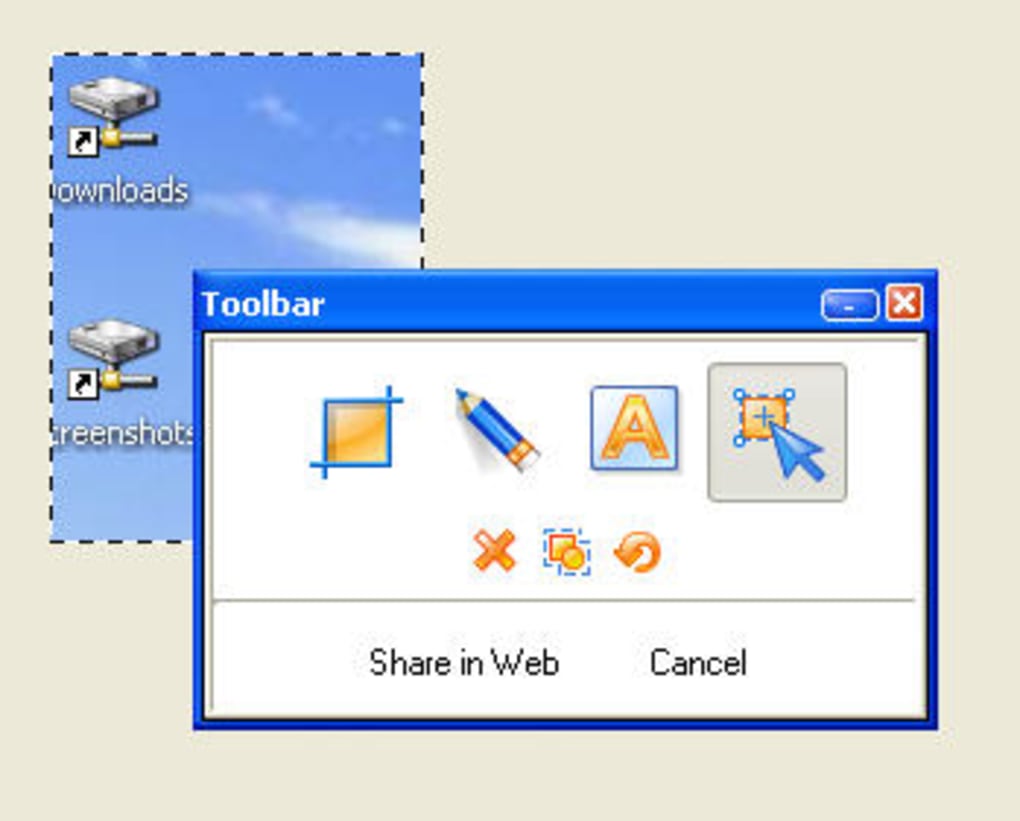
Whether you're documenting a bug, sharing a tutorial, or highlighting a deal on a website, Jet Screenshot ensures precision and control. Once captured, the image enters a lightweight editing interface where users can add text overlays, crop unwanted areas, and use a digital pen to highlight or draw attention to specific elements. These editing tools are intuitive and require no learning curve—perfect for beginners and professionals alike.
What truly sets Jet Screenshot apart is its built-in publishing engine. Users can directly upload their screenshots to an FTP server with a single click. This is especially valuable for bloggers, digital marketers, and remote teams who need to share visuals quickly.
Jet Screenshot provides a free hosted FTP server with limited storage, but users can also connect their own private server for full control and scalability. The upload process uses secure protocols to protect your data, ensuring privacy and integrity. Additionally, the software supports multiple file formats, including PNG, JPEG, and BMP, allowing compatibility across platforms and applications.
The interface is minimal and distraction-free, allowing users to focus on capturing and sharing without unnecessary complexity.
Another notable feature is cross-platform availability. Jet Screenshot is available for Windows, Mac, Android, and iOS, enabling seamless workflow across devices. Whether you're working on a desktop or a mobile device, your screenshots sync easily and maintain consistent quality.
The software runs efficiently on older systems, consuming minimal memory and CPU resources. This makes it ideal for users with limited hardware or those who prefer lightweight tools. With automatic updates, Jet Screenshot ensures you always have the latest security patches and performance improvements.
Overall, the combination of fast capture, simple editing, and instant publishing makes Jet Screenshot a top contender for users who value efficiency and simplicity.
How to Install and Use Jet Screenshot
Installing Jet Screenshot is a straightforward process, regardless of your operating system. For Windows and Mac users, visit the official website and download the installer file. The setup wizard guides you through the installation with clear, step-by-step instructions. No special configuration is required—just accept the default settings and launch the app. On Android and iOS, head to the Google Play Store or Apple App Store and search for "Jet Screenshot." The app is free to download and install, with optional in-app purchases for enhanced features like additional storage or custom branding.
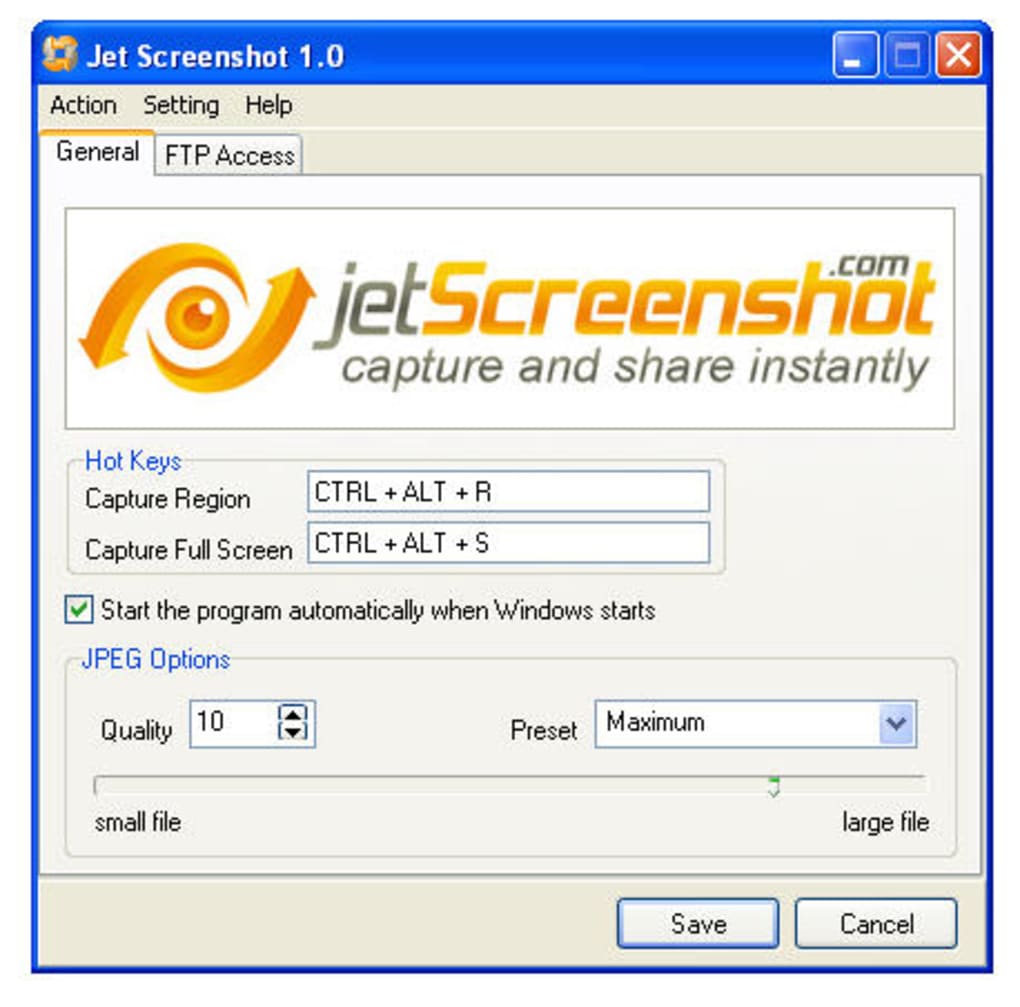
Once installed, launching Jet Screenshot brings up a clean, minimalist interface with a single capture button. To capture a full screen, simply press the hotkey (default: Ctrl+Shift+S) or click the button. For a custom region, click the selection tool and drag your cursor to outline the desired area.
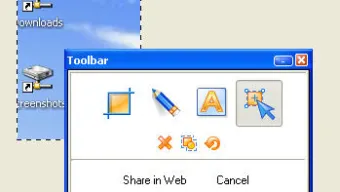
After capturing, a small editing panel appears, allowing you to add text, crop, or draw with a pen. You can also adjust the image brightness and contrast for better visibility. When satisfied, click the "Publish" button.
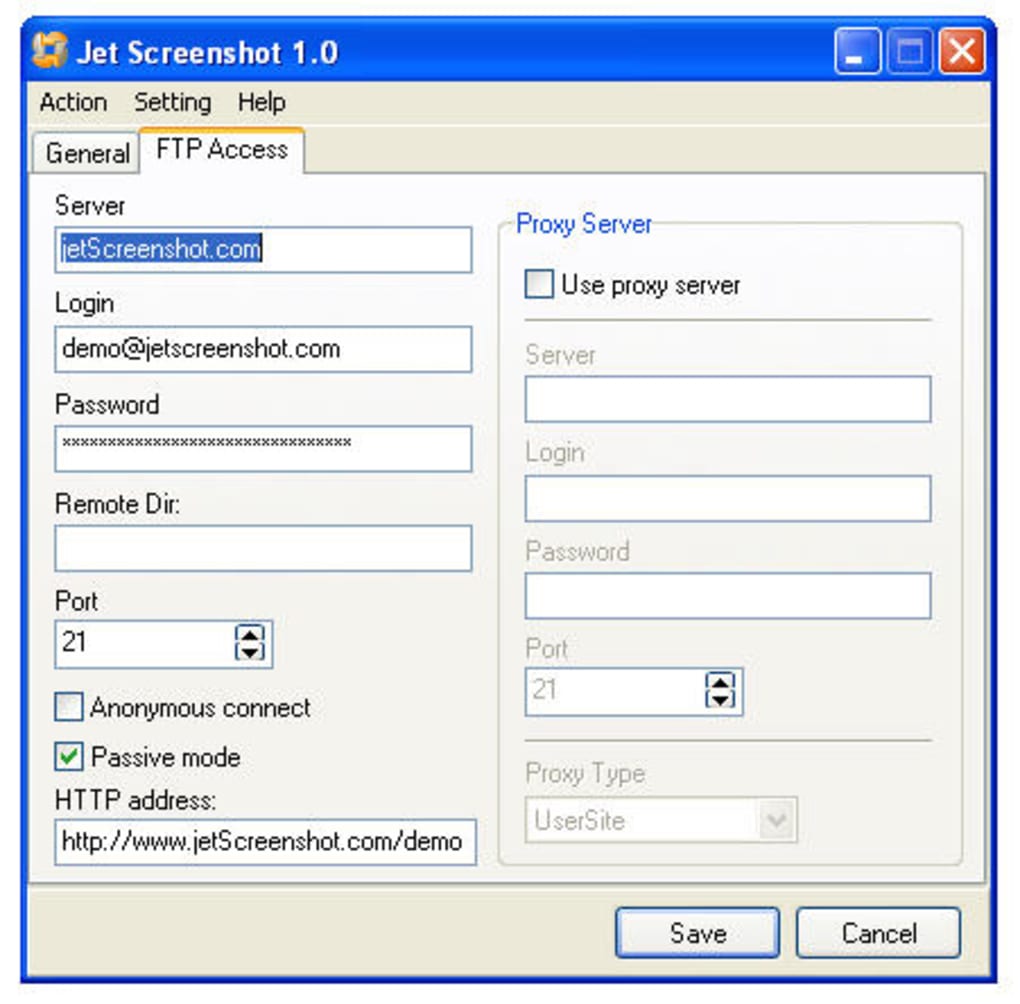
If using the free hosted server, your image is uploaded instantly, and a shareable link is generated. For custom FTP servers, enter your server credentials in the settings menu before publishing.
Jet Screenshot also supports keyboard shortcuts for faster workflow. Common actions like capturing, saving, and publishing can be assigned to custom keys. This is especially useful for power users who perform screen captures frequently.
The app automatically saves your recent captures in a local history folder, making it easy to revisit or re-upload. All captured images are stored securely, with encryption options available in the premium version. With regular updates and a responsive support team, Jet Screenshot ensures a smooth and reliable experience from first use to long-term adoption.
Compatibility & System Requirements
Jet Screenshot is designed to work across a wide range of devices and operating systems, making it one of the most accessible screen capture tools on the market. The software is fully compatible with Windows 7 and later versions, including Windows 10 and Windows 11. Mac users can install Jet Screenshot on macOS 10.14 (Mojave) and newer, ensuring support for both Intel and Apple Silicon (M1/M2) Macs. The app is optimized for performance, running smoothly even on older hardware with limited RAM or processing power.
For mobile users, Jet Screenshot is available on Android 6.0 (Marshmallow) and above, as well as iOS 12 and later. The mobile version offers the same core functionality—capture, edit, and publish—with touch-friendly controls. On Android, the app integrates with the system’s screenshot manager, allowing you to access captured images directly from your device’s gallery. On iOS, it works seamlessly with the Photos app and iCloud sync, ensuring your screenshots are always backed up and accessible.
System requirements are modest: a minimum of 512 MB RAM, 200 MB of free disk space, and a stable internet connection for publishing. The software does not require admin rights to install, making it ideal for corporate environments or shared computers. It supports multiple display setups and handles high-resolution screens without pixelation or lag. Whether you're using a laptop, desktop, tablet, or smartphone, Jet Screenshot delivers consistent performance and image quality. With its broad compatibility and low system footprint, it’s a versatile tool for both personal and professional use.
Pros and Cons of Jet Screenshot
- Pros:
- Fast and intuitive screen capture with two modes: full screen and custom region
- Lightweight and efficient, ideal for older or low-end devices
- Instant publishing to FTP servers, including free hosted option
- Basic editing tools: text, crop, pen marking, brightness adjustment
- Available on Windows, Mac, Android, and iOS for cross-device use
- Free to download and use with optional premium upgrades
- Secure file transfer via encrypted FTP connections
- Minimal learning curve—perfect for beginners
- Cons:
- Limited to two capture modes—no window capture or scrolling screenshot
- No video recording or GIF creation capabilities
- Free hosted server has storage and bandwidth limits
- Link notification via balloon tip is not user-friendly
- Lacks advanced editing features like filters, shadows, or transparency
- Mobile version has fewer customization options than desktop
Frequently Asked Questions (FAQ)
-
Is Jet Screenshot free to download and use?
Yes, Jet Screenshot is completely free to download and use. It includes core features like screen capture, basic editing, and publishing to a free hosted FTP server. While advanced features such as increased storage, custom branding, and priority support are available through optional in-app purchases, the free version is fully functional for most users.
-
Can I publish screenshots to my own FTP server?
Absolutely. Jet Screenshot allows you to connect to your own FTP server by entering your server details in the settings. This gives you full control over where your screenshots are stored and who has access to them. It’s ideal for businesses, bloggers, and teams that prioritize data privacy and security.
-
Does Jet Screenshot support mobile devices?
Yes, Jet Screenshot is available on both Android and iOS. The mobile app offers the same core functionality as the desktop version, including screen capture, basic editing, and publishing. While the mobile interface is slightly more limited, it’s still highly effective for on-the-go screenshot sharing.
-
What file formats does Jet Screenshot support?
Jet Screenshot supports PNG, JPEG, and BMP formats. PNG is recommended for high-quality images with transparency, while JPEG is ideal for smaller file sizes. BMP is available for compatibility with older systems. You can choose your preferred format in the settings before capturing.
-
How do I get the shareable link after uploading?
After uploading, Jet Screenshot generates a shareable link. However, the current notification method—via a balloon tip—is not very intuitive. Users are advised to check the "Published Links" section in the app’s history or use the clipboard copy function to access the link more easily.
Conclusion: Why Choose Jet Screenshot?
Jet Screenshot is a powerful yet simple tool for anyone who needs to capture and share visual content quickly and securely. Its fast capture speed, lightweight design, and seamless publishing capabilities make it a top choice for bloggers, social media managers, remote teams, and everyday users. While it may lack some advanced features found in competitors like LightShot or FastStone Capture, its focus on speed and sharing sets it apart. The ability to publish directly to FTP servers—whether your own or the free hosted option—delivers unmatched convenience.
If you’re looking for a free, reliable, and cross-platform screen capture tool that gets the job done without complexity, Jet Screenshot is an excellent option. With regular updates, strong security, and a user-friendly interface, it continues to evolve to meet modern needs. Download Jet Screenshot today and experience the fastest way to capture and share your screen—no hassle, no delays.
Download Jet Screenshot now and streamline your workflow with instant screen capture and publishing!







